APK.GOLD
Apk files for Android
Short info
In general apk file Kiosk Browser Lockdown has rating is 5.6 from 10. This is cumulative rating, most best apps on google play store have rating 8 from 10. Total reviews in google play store 480. Total number of five star reviews received 183. This app has been rated like bad by 224 number of users. Estimated number of downloads range between 100,000+ downloads in google play store Kiosk Browser Lockdown located in category Business, with tags and has been developed by ProCo IT. You can visit their website http://www.proco-it.com or send support@proco-it.com to them. Kiosk Browser Lockdown can be installed on android devices with 4.0.3(Ice Cream Sandwich)+. We provide only original apk files. If any of materials on this site violates your rights, report us You could also download apk of Kiosk Browser Lockdown and run it on android emulators like bluestacks or koplayer. Versions of Kiosk Browser Lockdown apk available on our site: 2.9.9, 2.9.6, 2.9.4, 2.9.3, 2.9.2 and others. Last version of Kiosk Browser Lockdown is 2.9.9 was uploaded November 18, 2026
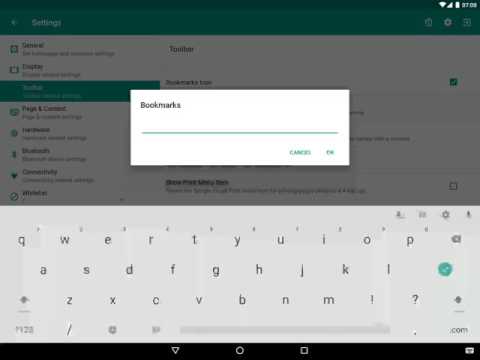
Screenshots of Kiosk Browser Lockdown
  • Kiosk Browser Lockdown
  • Kiosk Browser Lockdown
  • Kiosk Browser Lockdown
  • Kiosk Browser Lockdown
  • Kiosk Browser Lockdown
  • Kiosk Browser Lockdown
  • Kiosk Browser Lockdown
  • Kiosk Browser Lockdown
  • Kiosk Browser Lockdown
  • Kiosk Browser Lockdown
  • Kiosk Browser Lockdown
  • Kiosk Browser Lockdown
  • Kiosk Browser Lockdown
  • Kiosk Browser Lockdown
  • Kiosk Browser Lockdown
  • Kiosk Browser Lockdown
  • Kiosk Browser Lockdown
  • Kiosk Browser Lockdown
  • Kiosk Browser Lockdown
  • Kiosk Browser Lockdown
  • Kiosk Browser Lockdown
  • Kiosk Browser Lockdown
  • Kiosk Browser Lockdown
  • Kiosk Browser Lockdown
  • Kiosk Browser Lockdown
  • Kiosk Browser Lockdown
  • Kiosk Browser Lockdown
  • Kiosk Browser Lockdown
  • Kiosk Browser Lockdown
  • Kiosk Browser Lockdown
  • Kiosk Browser Lockdown
  • Kiosk Browser Lockdown
  • Kiosk Browser Lockdown
  • Kiosk Browser Lockdown
Description of Kiosk Browser Lockdown (from google play)

Please note Chromebooks are not supported, do not install on Chromebooks.

Designed for use on any Android device and is great for creating public kiosks, interactive digital signage etc.... Lock down the user interface so that the end-user can only access your defined webpage(s) and can't adjust Android system settings or gain access to other applications.

This app uses the Device Administrator permission. You can disable this permissions via Android Settings > Security > Device Admins (before uninstalling).

[How to exit]
Either press the hardware menu button or menu button in the top right hand corner of the screen, enter settings and then tap "Exit to Launcher" or tap anywhere within the webpage 4 times in quick succession to open the password dialog. The default settings password is 0000.

[Key features]
- Password protected settings
- Set as default launcher (prevents app exit)
- Idle page reload
- Hardware control (orientation, screen etc...)
- Cache, cookie & history control
- Disables access to notifications, recent apps, Google Now
- Hides system dialogs
- 70+ configuration options

[More Features]
- Bookmarks Bar
- Barcode Scanner
- NFC Reader
- Fullscreen mode / Hidden Toolbar
- Scheduled Sleep and Wake
- JavaScript Interface
- Google Cloud Print & ESC/POS bluetooth printing
- Screensaver (image(s)/video/website(s))
- Colour themes
- Camera Uploads
- Custom Error/Deny Pages
- Url Whitelist & Blacklist
- WiFi Settings Access
- XML Import/Export

[Xiaomi/Huawei/Acer Devices]
You must set the default launcher manually on these devices before Kiosk Browser will start. Normally within Android Settings > Home.

[Remote Management]
Available on a subscription basis, more information can be found on our website.

[Support & Documentation]
https://kioskbrowser.crisp.help/en/

[Licence]
All features are available to test for free, a licence is required for personal or commercial use.
Our licence agreement can be found here: https://www.android-kiosk.com/eula/

Version history Kiosk Browser Lockdown
New in Kiosk Browser 2.9.9
Memory leak fixes
Crash fixes
Fix for remote factory reset on Android 14 and above
"Automatic UI Recovery", now enabled by default
UI recovery now covers Google Play Services and Chrome updates, not just the WebView
Fix for app exiting kiosk mode on screen off when "run above screen lock" is disabled
Scheduled sleep workarounds for devices without exact alarm permission
Fix for QR code provisioning being interrupted
Improved stability on older Android 7 and 9 devices
Advertisement
Please rate this app
More info
Select the Kiosk Browser APK that fits your device

PermissionsKiosk Browser Lockdown 2.9.9

High-risk access inside

  1. No alerts
  2. Worth checking
  3. High risk

Alerts

High risk (1)

  • Device admindevice-adminCan lock the phone or erase its data

Worth checking (2)

  • Display over other appsSYSTEM_ALERT_WINDOWDraws on top of other apps
  • Modify system settingsWRITE_SETTINGSChanges brightness, ringtone and other settings

Good to know (1)

  • Advertising IDACCESS_ADSERVICES_AD_IDAD_IDUsed for ads and ad measurement

33 permissions in total

Source: AndroidManifest.xml of this APK

Switched on in Settings3
  • Schedule precisely timed actions Android 12 to 12LThis app can schedule work to happen at a desired time in the future. This also means that the app can run when you’re not actively using the device.
  • Display over other appsCan appear on top of other apps or other parts of the screen. This may interfere with normal app usage.
  • Modify system settingsAllows the app to modify the system's settings data. Malicious apps may corrupt your system's configuration.
Needs your OK8

Camera

  • Take pictures and videos

Microphone

  • Record audio

Location

  • Access approximate location only in the foreground
  • Access precise location only in the foreground

Phone

  • Read phone status and identity

Nearby devices

  • Connect to paired Bluetooth devices Android 12+
  • Discover and pair nearby Bluetooth devices Android 12+

Notifications

  • Show notifications Android 13+
Given at install22
  • Access Bluetooth settings
  • Change your audio settings
  • Connect and disconnect from Wi-Fi
  • Control Near Field Communication
  • Control vibration
  • Download files without a notification
  • Expand/collapse status bar
  • Have full network access
  • Learn how the app was installed (install referrer)
  • Measure ad clicks and installs (Android ad services)
  • Pair with Bluetooth devices
  • Prevent phone from sleeping
  • Receive push messages
  • Reorder running apps
  • Request delete packages
  • Run at startup
  • Run foreground service
  • Run foreground service with the type "systemExempted" Android 14+
  • Use the advertising ID
  • Use the advertising ID (Android ad services)
  • View network connections
  • View Wi-Fi connections

Device must have

Any Android device will do

Permission changes

The list has not changed since version 2.9.6.

Android Version Requirements for Kiosk Browser Lockdown

How the minimum Android version needed by Kiosk Browser Lockdown has changed across the versions in the apk.gold catalog. Tap a point on the chart to check a specific version.

2.9.9Sep 24, 2026Android 10+, target 16
Minimum AndroidTarget Android

The current Kiosk Browser Lockdown 2.9.9 runs on Android 10 and later and targets Android 16. In 2017, version 2.5.9 needed only Android 4.0.3.

Phone on an older Android? Newest versions that still work: Android 5.0: 2.9.6 (Nov 2025); Android 4.4: 2.9.3 (Jul 2024).

Other Kiosk Browser APK versions for android 9.0
Popular android apps